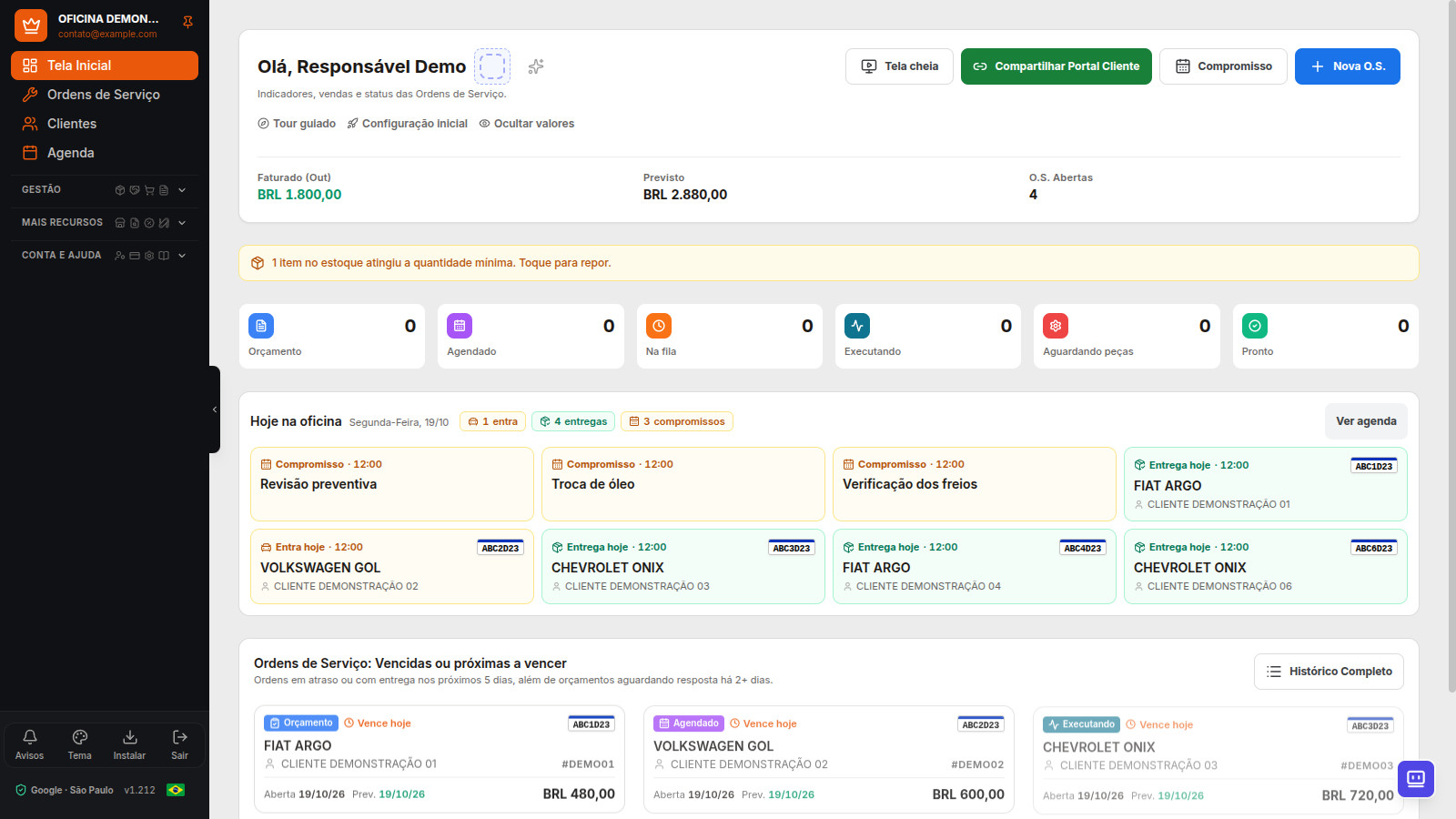
Your technology partner for the repair shop: Dono da Oficina brings together management, automations, portals, technical information, support, and collaborative product development. Serves general and motorcycle repair, Auto Centers, tire shops, collision repair and paint shops, and automotive detailing. This catalog explains current features, plans, and terms of use.
Operational segments and vehicle types
The segment is the shop’s activity, such as mechanical repair, tire services, or detailing. The type identifies the vehicle being serviced, such as a motorcycle, car, or truck. The two pieces of information complement each other: the same business can combine activities and serve several vehicle types. Starting with app version 1.219, the service profile brings together activities and vehicle types, with reviewable suggestions for services, consumables, and inspection items. Scheduling suggests a service and duration for you to fill in and review before saving. Durations are editable estimates; this setup does not automatically enable scheduling or rewrite existing appointments or past inspections.
See examples of workflows by segment and how technology keeps pace with the shop.
Features for every part of the daily routine
Service and Work Orders
Service profile and vehicles
Combine activities such as mechanical repair, Auto Center, tire services, bodywork and paint, or detailing with the vehicle types served: motorcycles, cars, heavy vehicles, agricultural, marine, electric/hybrid, or multiple makes. Review the services, consumables, and additional inspection items suggested for the profile.
Availability and conditions: Activity-based profile and scheduling/inspection suggestions starting with app version 1.219. Optional choices that do not replace existing records or history. License plate lookup has its own coverage. Learn how it works.
Digital Service Order
Record the customer, vehicle, and reported issue, prepare an estimate, and track approval, service, parts, payments, and delivery in one service record.
Availability and conditions: Service Order limit depends on the plan. Filling in fields does not confirm service execution, payment, or delivery. Learn how it works.
Quick estimate by final amount
Build an estimate with parts and services, even without inventory registration, and enter the final amount. It becomes a work order in Estimate status and can be sent for approval.
Availability and conditions: A quick estimate does not deduct items from inventory. Detailed or product invoices require line item prices and the corresponding tax configuration. Learn how it works.
Inspection with photos and signature
Record intake damage, photos, and a signature on the work order, then compare them with the vehicle’s condition at checkout. The profile lets you choose additional visual inspection items by activity for new work orders, while preserving previous inspections.
Availability and conditions: Additional items by activity starting with version 1.219; photos are available on paid plans. Check permissions and storage. Learn how it works.
License plate by camera
Scan the license plate with the camera and check recognition before using the data in the record.
Availability and conditions: Reading depends on image quality; lookups have their own allowance. Learn how it works.
Customers and vehicle history
Keep the customer's contacts and vehicles in one record, and review previous services to prepare for the next one.
Availability and conditions: Access depends on team permissions. Learn how it works.
Customer self-registration by link
Share a link so customers can enter their own details and send their registration to the workshop.
Availability and conditions: Submission goes through access checks and workshop review of the registration. Learn how it works.
Assisted company and address lookup
Reduce typing with company and address lookups available for the registration country, such as CNPJ and CEP in Brazil.
Availability and conditions: Coverage depends on the source and country. Check the result; absence from the source does not invalidate the document, and the lookup does not enable tax issuance. Learn how it works.
Registration and service paid by an insurer
Organize insurers and contacts, and indicate in the work order when the insurer will pay for the service.
Availability and conditions: It depends on the workshop's configuration and access. Registration does not approve coverage or an estimate with the insurer. Learn how it works.
Warranty follow-up linked to the original service
Record the follow-up for the same service and keep the new Service Order linked to the service case it came from, without treating it as a new sale.
Availability and conditions: The selection of the previous service case and the classification of the follow-up must be correct. Learn how it works.
Portals and customer approval
Customer Portal
Customers can track the Service Order, view photos, check the calendar, and approve estimates through their own access.
Availability and conditions: Starting with Essential; access by account or link, depending on the workflow. Learn how it works.
Online estimate approval
Present the estimate and record the customer's decision through the portal, keeping authorization linked to the Service Order.
Availability and conditions: Customer Portal enabled; check the scope before carrying out add-on work. Learn how it works.
Signature with document verification
The customer authorizes the Service Order, and the verification code lets you check whether the signed content is still unchanged.
Availability and conditions: Changing data covered by the signature requires new approval; verification shows whether a change was made. Learn how it works.
Accountant Portal
Share separate access for document review and the shop's tax configuration.
Availability and conditions: Starting with Professional, with dedicated permissions. Learn how it works.
Inventory, purchasing, and suppliers
Parts, services, supplies, and kits
Organize what is sold, used in a service, or consumed internally, and use kits to assemble recurring service jobs.
Availability and conditions: Check units, classification, and prices in the record. Learn how it works.
Inventory movements and minimum stock
Track incoming and outgoing stock and items below minimum to organize parts replenishment.
Availability and conditions: Inventory balance accuracy depends on correctly recording movements. Learn how it works.
Receive documents by XML, PDF, photo, or spreadsheet
Reduce manual entry for purchases and records with import and assisted recognition, reviewing items before confirmation.
Availability and conditions: A legible document and human review are required; recognition may need correction. Learn how it works.
Purchases through SEFAZ
Find purchase documents available for the CNPJ and bring the complete XML file for inventory review.
Availability and conditions: Professional, Ultra, and Network; A1 certificate and DF-e Distribution rules apply. Learn how it works.
Automatic import of known items
Enable automatic receipt of eligible invoices whose items already have a reliable match in inventory.
Availability and conditions: Off by default; it does not create new records or change sales prices. Learn how it works.
Supplier quotes for parts
Record suppliers and prices for a quote, compare offers, and select the supplier when converting the purchase into inventory.
Availability and conditions: Requires quote and inventory permissions. Compare amounts in the same currency and check the quantity and supplier before confirming. Learn how it works.
Tax documents
NFS-e for services
Issue national NFS-e from a Service Order or as a standalone service, without re-entering all service details.
Availability and conditions: A plan with tax features, coverage, A1, confirmed tax treatment, and issuer authorization. Learn how it works.
Product NF-e in Espírito Santo (ES)
Issue model 55 for supported transactions, with the document linked to the sale source.
Availability and conditions: Production in Espírito Santo (ES); own authorization required. NFC-e is still unavailable. Learn how it works.
Issue when the Service Order is paid
Configure automatic issuance after payment for eligible issuance types and companies.
Availability and conditions: Depends on tax configuration and the transaction's required data. Learn how it works.
Vehicle lookup, purchase, and sale
Auto Sales
Manage purchases, consignments, transfers, preparation, trade-ins, sales, receipts, and results by vehicle.
Availability and conditions: Ultra and Network. Transfers, RENAVE, and financing are handled outside the app. Learn how it works.
Incoming and outgoing vehicle invoices
Keep tax document requests linked to the transaction and, when needed, record the incoming invoice issued externally.
Availability and conditions: Issuance through the app depends on the transaction, state, rules, and issuer authorization. Learn how it works.
License plate lookup and full vehicle lookup
Use license plate lookup to support record creation and the full lookup to review available vehicle information.
Availability and conditions: The license plate lookup allowance and prepaid credits for full vehicle lookup are separate. Learn how it works.
Finance, team, and locations
Financial management, cash, and income statement
Record payments and expenses, review accounts receivable, cash closing, cash flow, and the income statement. Review available reports and exports to check the data.
Availability and conditions: Reports depend on recorded entries and do not replace accounting. Records retain their original currency. Learn how it works.
Team and commission closing
Set permissions and rules for each professional and check period closing against recorded services.
Availability and conditions: No user limit on current plans; commissions available starting with Professional. Learn how it works.
Counter Sale
Sell parts without opening a Service Order and keep payments integrated with financial management.
Availability and conditions: Ultra and Network; inventory and tax features are subject to their own terms. Learn how it works.
Integrated Electronic Payments
Track payments through Mercado Pago Point, InfiniteTap, and InfinitePay links in supported workflows.
Availability and conditions: Ultra and Network; provider configuration, fees, approval, and compatibility apply. Learn how it works.
Branches and multiple CNPJs
Organize locations and view operations and results by branch within a network.
Availability and conditions: Network plan and company and access configuration. Learn how it works.
Scheduling, communication, and follow-up
Workshop Schedule
Organize appointments and service deadlines and track customer interaction with the calendar.
Availability and conditions: Availability and permissions depend on the operation. Learn how it works.
Google Calendar and Outlook
Connect an account and sync Dono da Oficina calendar appointments; also send Service Order delivery deadlines to the external calendar.
Availability and conditions: One account per repair shop; incoming items sync when you open the app or select Sync now. Learn how it works.
WhatsApp and operational notifications
Connect the shop's phone number to share estimates, status changes, and service notifications.
Availability and conditions: Starting with Professional; connection, limits, and do-not-disturb hours apply. Learn how it works.
System alerts, email, and notifications
Receive operational alerts and notifications through configured channels. Transactional emails support access, security, billing, and tax documents.
Availability and conditions: Push notifications depend on browser permission and support. The system does not offer free-form email writing or email campaigns; WhatsApp has its own connection and plan. Learn how it works.
Oil changes and loyalty
Schedule the next follow-up by time and mileage, generate the reminder label, and configure customer rewards.
Availability and conditions: Loyalty and communication vary by plan and configuration. Learn how it works.
Technical information, AI, and workshop support
Manuals and technical tools
Find manuals by make, model, or topic, open calculators with fields and units, and access tables, converters, videos, and useful sources in the catalog.
Availability and conditions: Available from Essential; tools and manuals depend on the published library. Results require correct data and units. Learn how it works.
Car and motorcycle paint sheet
Gather the vehicle details and factory color candidates, then generate a PDF sheet to discuss with the paint supplier.
Availability and conditions: The code needs confirmation. There is no guarantee of obtaining the formula from the license plate or chassis number, or that the factory color matches the current paintwork. Learn how it works.
Dona AI by text or voice
Check Service Orders, the service bay, minimum stock, and calendar, and get usage guidance in the context of your repair shop.
Availability and conditions: Ultra and Network; AI is in Alpha development and subject to limits and review. Learn how it works.
Parts Between Workshops
Find and list parts in the inter-shop catalog to contact someone who has the item you need.
Availability and conditions: Limits vary by plan; the app does not guarantee or broker the transaction. Learn how it works.
Workshop achievements and progress
Track achievements, experience, and levels tied to activities recorded in the system.
Availability and conditions: These are virtual indicators and achievements, separate from loyalty rewards and referral credits. Learn how it works.
Support, product development, and referrals
Consult the app manual and guided tour, open tickets with attachments, submit product improvement suggestions, and review the referral program.
Availability and conditions: Channels, priorities, suggestion approval, and credits are subject to the plan and program rules. Learn how it works.
Access, privacy, and continuity
PWA, passkeys, and languages
Use a phone, tablet, or computer, install the PWA, and configure language, appearance, and access. With no signal, view information you have already opened.
Availability and conditions: Saving requires a network connection. Portuguese, English, Spanish, and Italian; language does not change Brazilian tax coverage. Learn how it works.
Recovery of unsaved changes
Resume changes saved on the device itself if the app was closed before saving was completed.
Availability and conditions: There are time limits and per-screen limits; photos, files, and passwords are not stored. New records and sensitive actions require confirmation. Learn how it works.
Global search for Service Orders, customers, and parts
Search Service Orders, customers, license plates, parts, or screens in one place, on your phone or with the Ctrl+K shortcut on a computer.
Availability and conditions: Results and access are subject to user permissions. Learn how it works.
Amount privacy and access history
Hide amounts on the Home screen during service and check the account access log to see who accessed the system.
Availability and conditions: Hiding amounts does not replace permissions. Access history is restricted to authorized users. Learn how it works.
Frequently Asked Questions
Is Dono da Oficina just a work-order app?
It is a management platform and a technology partner for the repair shop: it brings together customer service, inventory, finance, portals, tax documents in enabled workflows, technical information, support, and collaborative product development. The partnership does not mean technical or tax consulting, guaranteed custom development, or access to every feature on every plan.
Is everything included in the free trial?
No. The trial lasts 15 days and includes up to 30 Service Orders, with no card required. Paid features, credits, integrations, and tax document issuance are subject to each plan's and company's terms.
How do I choose repair shop software?
Compare the workflows you use, the features included in the plan, and each integration's requirements. Test with a representative service case and check the total cost.