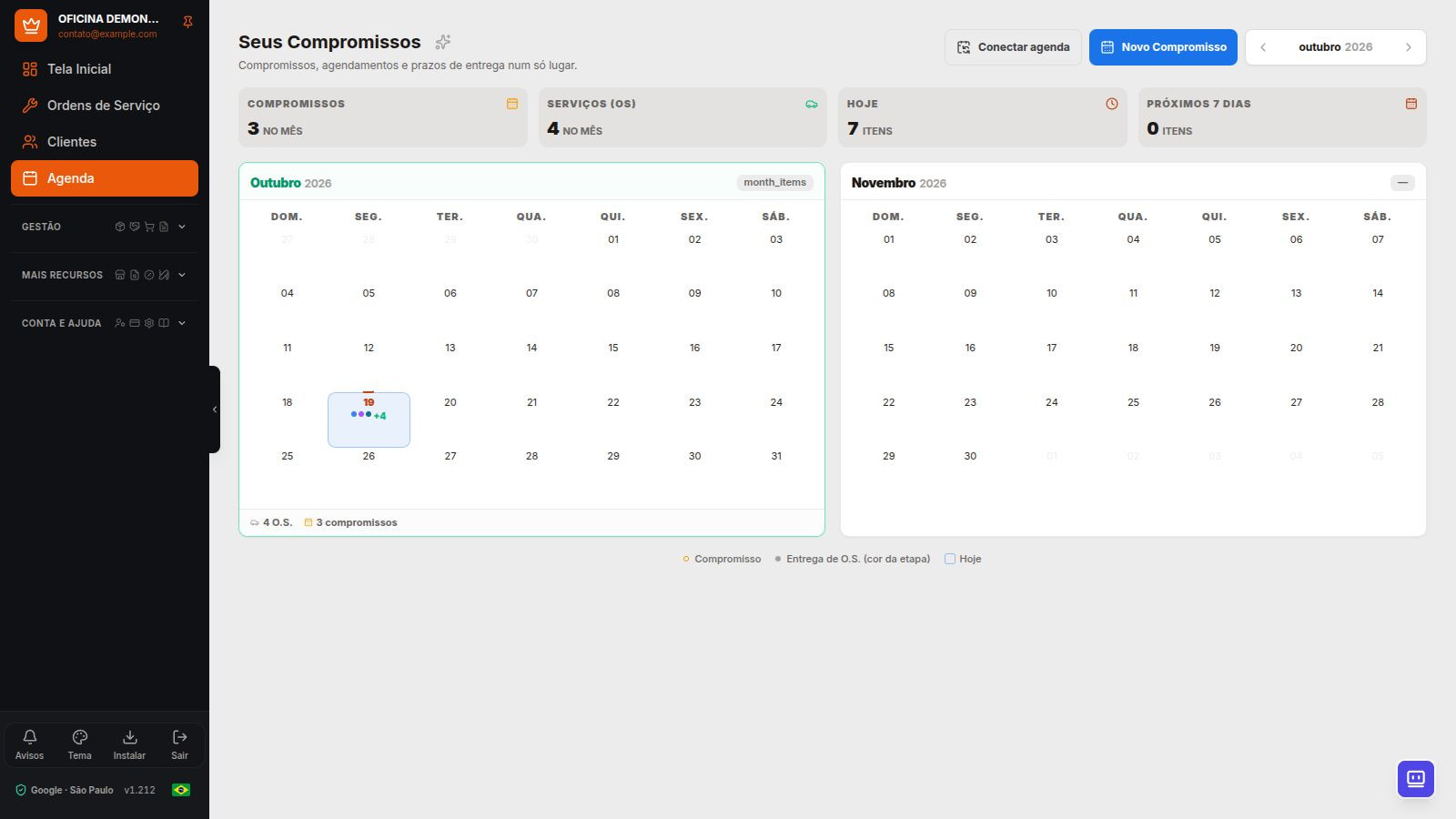
The Dono da Oficina Calendar can connect to a Google or Microsoft account. Appointments in the Dono da Oficina calendar sync in both directions; Service Order delivery deadlines sync from the app to the external calendar.
How the connection works
- In Calendar, choose Google or Microsoft connection and authorize the account the shop will use.
- Use the Dono da Oficina calendar created in the connected account. It is separate from the primary calendar.
- Create or change appointments in the app or in that external calendar.
- Select Sync now when you need to check for changes before the next update.
When does a change appear?
Saving or deleting an appointment in the app sends the change to the connected calendar. Changes made externally are imported when you open Calendar or Home, with up to five minutes between syncs, or when you select Sync now.
The integration does not promise continuous updates while the app is closed. An external recurring event is added as one appointment, without expanding all recurrences. The Service Order deadline continues to be managed in Dono da Oficina.
Accounts and limits
The connection uses one account per repair shop. Hotmail and Outlook.com are personal Microsoft accounts; business accounts may require consent and Microsoft 365 administrator policies. Confirm account authorization in your environment.
This is a calendar integration. It does not read the Gmail or Outlook inbox. When disconnecting, also check the permissions granted in the provider account.
Frequently Asked Questions
Does the integration use my entire primary calendar?
No. The workflow syncs the Dono da Oficina calendar created in the connected account.
Can I advertise continuous, instant synchronization?
No. External changes depend on opening the app or using the sync command, subject to the intervals and limits stated on this page.
Explore more
- Customer Portal and online approval
- Integrated repair shop management: from service bay to cash register
- Feature catalog