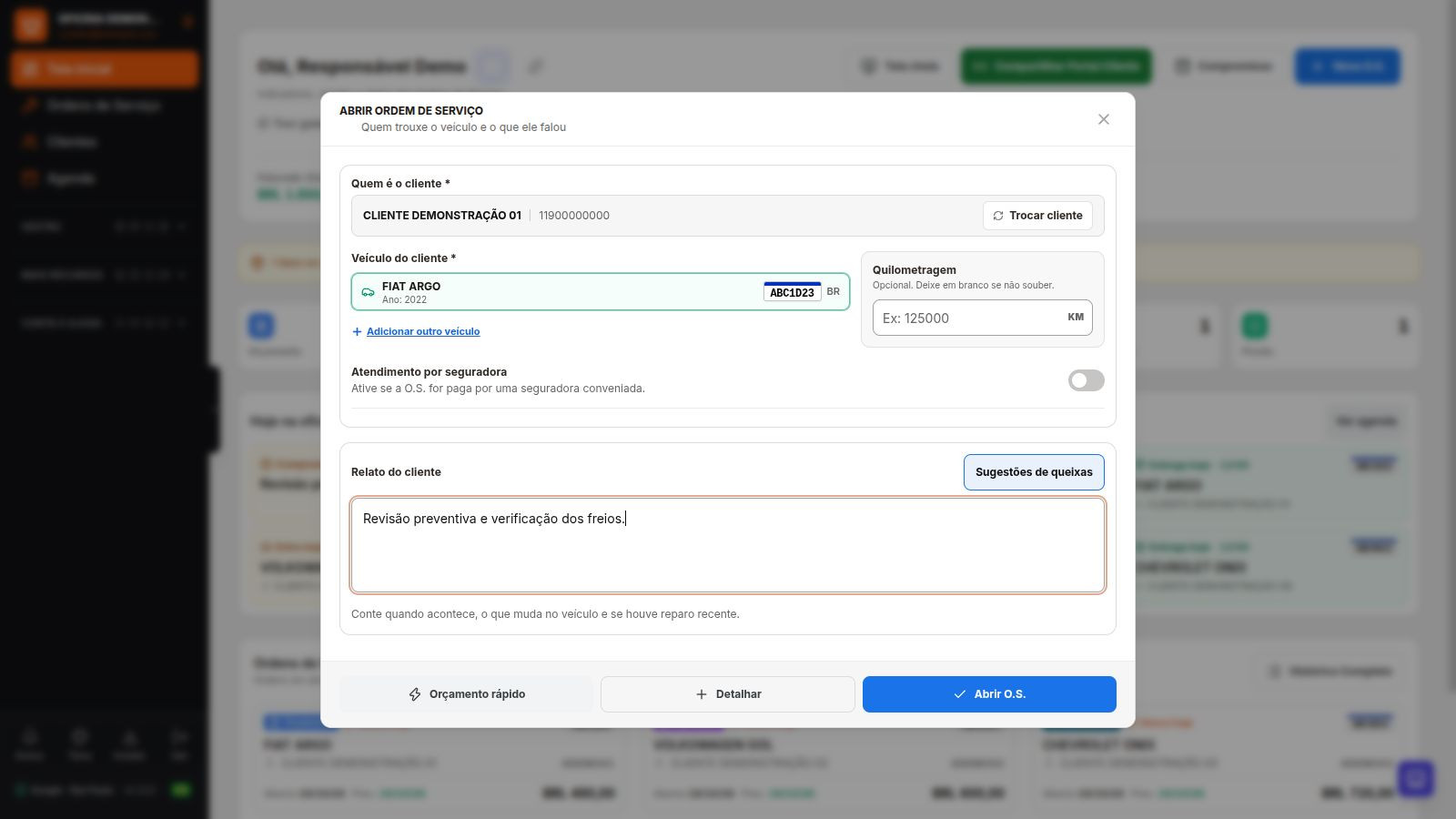
Dono da Oficina's Work Order links the customer, vehicle, and reported issue to the estimate, authorization, and service execution. It works for motorcycle workshops and other segments. Each step records a service event; filling in fields does not confirm payment or delivery.
Start with the service request that came in
- Select or register the customer and vehicle, then record the reported issue.
- Check the vehicle identifier and fields for its type. Add inspections, photos, items, the person responsible, and a due date as needed for the service.
- Prepare the estimate and share it with the customer. Confirm authorization before carrying out the agreed scope.
- Record service execution, payments, and delivery at the appropriate times.
When should I use a quick estimate?
Use this when you need to present an estimate by final amount without listing every item price. Search for parts and services or enter a name without adding it to inventory. The result becomes a work order in Estimate status and can be printed or sent for approval.
This workflow does not deduct parts from inventory. When line items are priced, the total follows the item prices. Detailed or product invoices require the corresponding data and prices, as well as tax authorization.
Inspection, signature, and warranty
Record the vehicle's condition at intake and add photos to the work order. Acceptance includes a verification code to check the signed content; changing covered data requires new approval.
If the customer returns for the same service, link the warranty return to the original service. This workflow does not turn rework into a new sale. Review the previous work order and classify the return.
Payments and cancellations have their own rules
An amount due does not become cash on hand just because the service is complete. Record the payment and payment method, then check the balance. Discounts and complimentary services are separate decisions from a warranty return.
A work order with a recorded payment must be reconciled before cancellation. Parts compensation follows the system workflow; an issued invoice has its own cancellation process. Changing the work order status does not cancel the tax document.
If data entry is interrupted
The app can resume changes saved on the device itself, subject to time limits and per-screen restrictions. Photos, files, and passwords are not stored in this copy. New registrations and sensitive actions require review and confirmation. Without a network connection, view data already opened, then reconnect to save.
Frequently Asked Questions
Does a quick estimate reserve or deduct inventory?
No. It provides an estimate and does not move parts in inventory. Check the application and entries in the work order execution workflow.
Is a tax invoice canceled when the work order is canceled?
No. Work order cancellation, payments, inventory, and tax documents each have their own rules. The invoice requires its own tax procedure, where permitted.
Explore more
- Customer Portal and online approval
- Inventory and SEFAZ purchases for repair shops
- Tax invoicing for repair shops: coverage and terms