Have you ever thought about how much time your team spends looking through papers? That missing work order, the handwritten note on a napkin no one can read, the estimate the customer says had a different price... If these scenes sound familiar, your workshop is ready for digital work orders.
A digital work order is more than “replacing paper with a screen.” It transforms the entire workflow, directly affecting efficiency, transparency, and revenue of your shop. In this article, I’ll show you why this is the best operational decision you can make in 2026.
Why Paper Work Orders Are Costing Your Shop So Much
Let’s be honest: paper work orders have major limitations that every shop owner knows, but many accept as “normal.” That is not normal. List actual losses:
- Illegibility: The mechanic scribbles parts and services no one can read later, leading to rework, billing errors, and disputes with customers
- Loss: The work order gets lost among others, the customer disputes the job, and you have no way to prove what was done or agreed upon
- No History: The customer comes back six months later, and no one remembers which oil was used, which brake pad was installed, or what the diagnosis was. Paperwork... obsolete.
- No integration: Paper work orders don’t connect to inventory, finances, or customer records. Every piece of information must be re-entered or manually recorded somewhere else
These costs do not appear in the DRE. Even so, it’s still there, quietly draining your margin.
What Is a Digital Work Order and How Does It Work?
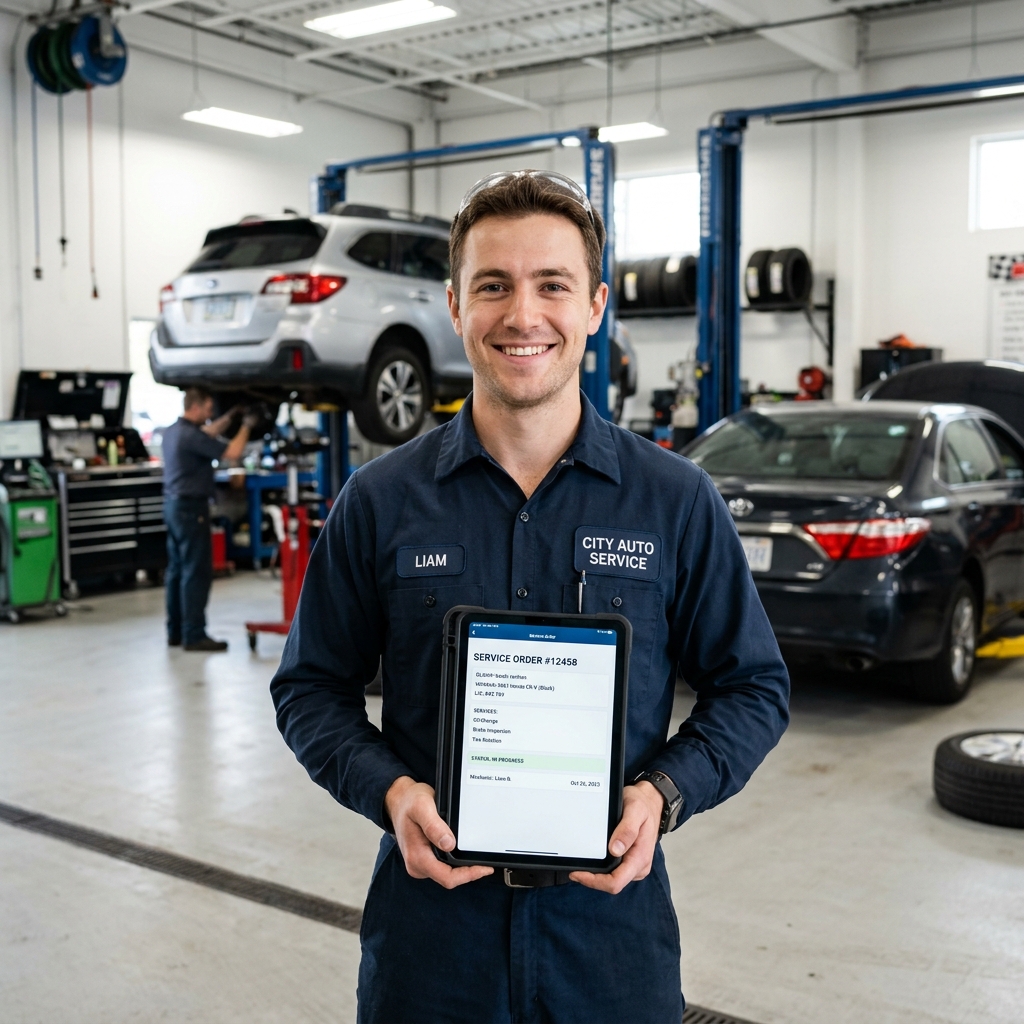
A digital work order is an electronic document that centralizes all information from a customer interaction: customer and vehicle data, work to be done, required parts, before-and-after photos, prices, approvals, and real-time status. Everything in one place, accessible from a computer, tablet, or phone.
Essential Elements of a Good Digital Work Order:
- Vehicle check-in: License plate, model, year, odometer, customer complaint, and vehicle check-in checklist with photos
- Diagnosis and Estimate: Proposed services, quoted parts and prices, estimated completion time
- Customer Approval: Send the estimate through WhatsApp and record digital approval with date and time
- Execution: Record each service performed, parts used (automatically deducted from inventory), and actual time spent.
- Delivery and payment: Final summary, payment method, recorded warranty, and digital signature
Digitize your work orders now
Dono da Oficina provides complete digital service orders: intake checklist, photos, WhatsApp approval, automatic inventory deduction, and a permanent vehicle history.
Try It Free for 15 Days5 Concrete Benefits of Digital Work Orders
1. End the customer argument
With digital work orders, every estimate, approval, and completed service is recorded with a date, time, and digital customer signature where supported. If a customer questions an amount, open the history and check what was agreed.
2. Complete Vehicle History
Did the customer come back for a second visit? You know which oil was used, the previous diagnosis, what was recommended, and what remains pending. In addition to efficiency, this improves professional image that builds loyalty.
3. Automatic Inventory Deduction
When a mechanic adds a part to the digital work order, the system automatically deducts it from inventory. No more inventory discrepancies caused by “I forgot to record using the part.”
4. Faster, More Accurate Billing
With paper work orders, it is easy to forget to charge for a screw, washer, or fluid. When revenue is generated automatically from a digital work order, each item is billed. Checking recorded items helps prevent missed charges; results depend on each workshop’s routine.
5. Data for Strategic Decisions
With digital work orders, you can see which service is most profitable, which mechanic is most productive, and which repair has the most rework. Paper work orders will never give you this data.
How to Implement It at Your Shop
The transition does not have to be traumatic. Follow this four-week plan:
- Week 1: choose and configure. Hire a management system with digital service orders (such as Dono da Oficina) and register your most common services and parts.
- Week 2: train the team. Set aside 2 hours to teach everyone the basics. Focus on creating work orders and deducting parts from inventory. The rest comes with use
- Week 3: run in parallel. Use digital work orders for new service, but keep paper as a backup for now. This reduces team anxiety
- Week 4: cut the paper. If week 3 went well, leave paper behind for good. Your team will already be faster digitally than they ever were on paper.
Conclusion
Digital work orders are no longer a “nice-to-have.” It is quickly becoming the minimum expected standard by the customer. When customers see you writing on a piece of paper that looks like a grocery list, they perceive less value in your service. When customers receive an organized, professional digital estimate with photos, they are more willing to pay a fair price.
This is not technology for technology’s sake. This is respect for your own work and your customer’s money.